Build Your Wishlist

The first step to securing funding is building a plan for your program. Let us help you get started.

// EMAMSS

Multi-Axis Machining Simulation Software (EMAMSS)

EMAMSS is not only a viewer. It is an integrated software package for setting up, programming, and operating CNC machines in a virtual shop. Students can edit programs, prepare blanks, select and mount tools, preset cutters, fixture workpieces, and run a full machining simulation without consuming a live 5-axis machine.

The package includes a realistic CNC machine simulator, a G-code parser and debugger with canned cycles and macros, and a networked teaching/examination mode that records the operation process and supports automatic scoring.

What Is Included:

  • Realistic CNC machine simulation — set up, program, and operate machines in a virtual safe environment
  • G-code parser and debugger with canned cycles and macros
  • Network teaching and examination functions, including operation-process recording and automatic scoring

Product Details

Multi-Axis Machining Simulation Software (EMAMSS)

Edsolab Multi-Axis Machining Simulation — 4-axis and 5-axis CNC training in a virtual, collision-safe environment.

Key Features

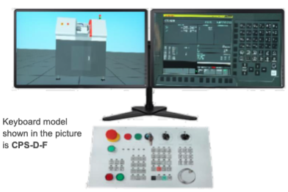
  • 3D modeling based on OpenGL, with dual-monitor display
  • Dynamic rotation, zoom, pan, full screen, and view switching
  • G-code parse supporting ISO-1056 preparatory function codes (G codes), auxiliary function codes (M codes), and other instructions
  • Support for 4-axis and 5-axis CNC machines
  • 5-axis kinematic structures:
    • AC dual rotary worktable
    • BC dual rotary worktable
    • BC single swing head + single rotary worktable
    • BC dual swing-head structure
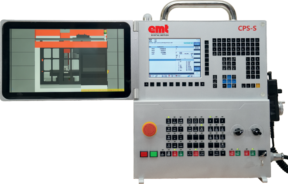
  • More than 20 CNC systems and more than 50 operator panels
  • Simulation of canned cycles, macros, and parameter settings
  • Import workpiece from CAD file
  • G-code debug tool
  • Simulate post-processed files from UG, Pro/ENGINEER, and Mastercam
  • Set, mount, and unmount the workpiece
  • Broken-tool display after a tool collision
  • Adjust a vise with a dial indicator
  • Tool-preset views for completing tool preset
  • Virtual instruments: edge finder, Z-axis gauge, probe, electronic probe, dial indicator, and hammer
  • Multi-direction sectioning and measuring
  • Fixtures including step clamp, edge clamp, vise, and custom clamp

Supported Controllers

EMAMSS includes FANUC, Haas, Fagor, Siemens (Sinumerik), Mitsubishi, Heidenhain, HNC, GSK, and other multi-axis CNC controllers. Catalogue examples:

  • FANUC 0iMF Plus (4-axis, 5-axis)
  • FANUC 0iM (4-axis, 5-axis)
  • Haas VM (4-axis, 5-axis)
  • SINUMERIK 840D (4-axis, 5-axis)
  • FAGOR 8055M (4-axis, 5-axis)
  • HEIDENHAIN iTNC 530 (4-axis, 5-axis)

5-Axis Simulation Capability

The software supports 5-axis machining simulation and planar positioning from different directions. Rotary-axis combinations include A-C, B-C, and A-axis rotary structures for 4-axis or 5-axis worktable machines.

Learners can run the complete process on screen: edit the program, prepare the blank, choose and mount the cutting tool, preset the cutter, fixture the workpiece, then watch the cut. That shortens time-to-competence on a real NC machine and reduces the number of expensive multi-axis seats a college must buy for first-pass practice.

Typical Simulation Scenes

  • More than 50 operator panels
  • Program validation and G-code debugger
  • DNM400 4-axis A-rotary
  • DNM400 5-axis AC table
  • DMU 60P (B-head / C-table)
  • 5-axis vertical AC-table
  • 5-axis vertical BC-table
  • 5-axis gantry BC-head
  • DMU 100T 5-axis (B-head / C-table)
  • Mikron Mill E700U BC-table
  • HNC GS200 AC-table
  • JT-GLB-V AC-table
  • MLV30X AC-table

Shop-Floor Skills Practiced in Software

  • Adjust vise with dial indicator
  • 4-axis cam machining
  • 5-axis base machining and measurement
  • Tool-break effect after collision
  • Electronic probe detection
  • 5-axis RTCP chamfer machining
  • 5-axis blade machining
  • 5-axis impeller machining
  • Tool-setting views
  • Multiple fixture types
  • Custom milling tools

Who It Is For

  • Engineering colleges, polytechnics, ITI / TVET, and CNC academies teaching 4-axis and 5-axis programming
  • Labs that need collision-safe practice before students touch a live multi-axis VMC
  • Instructors who want networked assignments, process recording, and automatic scoring
  • Programs that already use UG, Pro/ENGINEER, or Mastercam and need to prove post-processed code before the machine
Transportation Catalog
DAKTIC-Transportation-2025-FINAL-compressed.pdf