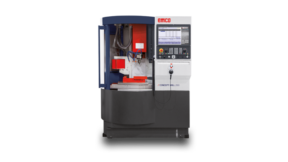
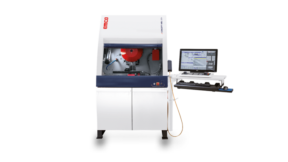
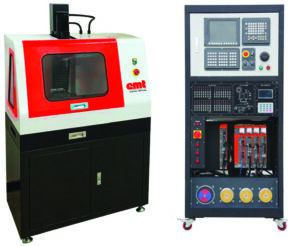
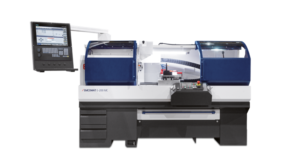
ECNCSS is an integrated software package for programming and operating CNC machines in a virtual, collision-safe environment. Students work through the same shop sequence they will use on a live lathe or mill: set and mount the workpiece, choose tools, preset cutters, run G-code, watch chips and coolant, then measure the result — without consuming machine time or scrap stock.
The PC version includes a realistic machine simulator, a G-code parser and debugger with canned cycles and macros, and a networked teaching/examination mode that records the operation process and supports automatic scoring.
Product Details
CNC Simulation Software (ECNCSS)
Edsolab CNC simulation — 2-, 2.5- and 3-axis machine practice on a PC, with optional 4- and 5-axis, 100+ control systems, and classroom server tools.
ECNCSS is an integrated software package for programming and operating CNC machines in a virtual, collision-safe environment. Students work through the same shop sequence they will use on a live lathe or mill: set and mount the workpiece, choose tools, preset cutters, run G-code, watch chips and coolant, then measure the result — without consuming machine time or scrap stock.
The PC version includes a realistic machine simulator, a G-code parser and debugger with canned cycles and macros, and a networked teaching/examination mode that records the operation process and supports automatic scoring.
What Is Included
Realistic CNC machine simulation for programming and operating machines in a virtual safe environment
G-code parser and debugger with canned cycles and macros
Network teaching and examination functions, including process recording and automatic scoring
PC version
Key Features
3D modeling based on OpenGL, with dual-monitor display
Dynamic rotation, zoom, pan, full screen, and view switching
G-code parse supporting ISO-1056 preparatory function codes (G codes), auxiliary function codes (M codes), and other instructions
Support for 2-, 2.5- and 3-axis CNC machines; 4- and 5-axis machines optional
More than 100 CNC systems and more than 200 control panels (more being added)
Simulation of canned cycles, macros, and parameters
Import workpiece from CAD file
G-code debug tool
Custom codes and cycles for different NC systems
Simulate post-processed files from UG, Pro/ENGINEER, and Mastercam
Windows MACRO recording and replay
Operation-process (AVI) recording and replay
Workpiece setting and mounting
Turret configurable for 4, 8, 12, or 16 tools; ATC can be horizontal or vertical
Measuring tools: edge finder, feeler gauge, micrometers, calipers, and more
Roughness measurement based on cutting parameters
Tool preset by benchmark method and manual method
Machine effects including coolant, machining sound, and chip generation
What Students See and Practice
More than 200 operator panels
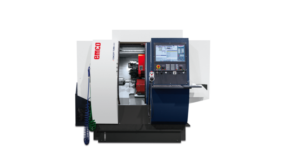
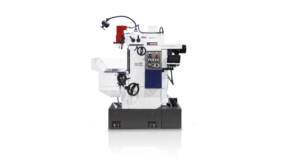
Multiple 3D machine models
Program validation and G-code debugger
Variables and parameters for macro programming
G-codes supported for milling
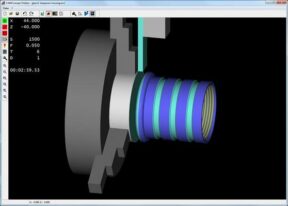
2D cutting-path and 3D simulation for lathe and milling
Real-time dynamic zooming and panning
Workpiece dimensions and roughness measurements
Optical edge finder and Z-axis gauge
Workpiece and clamping configuration
Extensive tool management for milling and turning
Classroom Server Features
Installed on a local network in a server–client configuration, ECNCSS gives the instructor tools to manage students, classes, and tests.
User management — Students register with a username and password. After login from any computer on the LAN, the instructor can centrally manage, monitor, and tutor the class.
Exercise management — Add and edit exercises on the server, send exercises (including pictures) to clients, and collect answers from clients.
Examination subsystem — Question-library management, test-paper management, test-process management, and automatic marking of examination papers.
Test administration subsystem — Test-data management, exam-permit management, and results management. Automated save, disaster recovery, and automatic scoring of test papers.
Hardware and Software Requirements
Windows environment: 2000, XP, Vista, Windows 7 (as listed in the catalogue)
Engineering colleges, polytechnics, ITI / TVET, and CNC academies teaching turning and milling programming
Labs that need many simultaneous practice seats without adding machines
Instructors who want LAN-based assignments, monitoring, exams, and automatic scoring
Programs that already post-process from UG, Pro/ENGINEER, or Mastercam and need to prove code before the machine
Catalogue source: EMT Digital Motion / EMT Global Catalogue 2025–26, CNC Panel Simulators / CNC Simulation Software section. Product name in catalogue: CNC Simulation Software (ECNCSS) / Edsolab CNC simulation. Specifications are furnished for informational use and are subject to change without notice.